A weak remote is the warning; a fob that stops working at the worst moment is the result. Key fob battery replacement is a two-minute job — but the “which battery” question stops more drivers than the tools do. Here is the complete walkthrough.
Step 1: Open the key shell
Look at the seams. Most remotes have a release button for the key blade first, then the two shell halves pop apart at a seam notch with a flat tool. Some models have a screw under a cover. Never drill — there is always a designed release point.
Step 2: Read the battery, then remove it
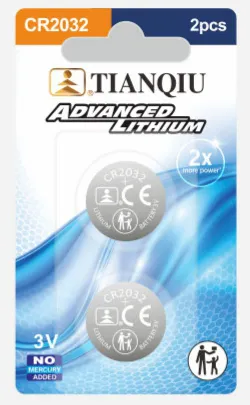
The number stamped on the cell is the only reference you need. Gently rock the old cell out with a plastic tool — steel sliding against the contacts can short the board.
Step 3: Mind the polarity
In almost every fob the printed + side faces up toward the key buttons. Note it before removal, match it on insertion.
Step 4: Test from a distance before finishing
Close the shell and press lock from 30 m. If nothing happens: re-check orientation, clean the contacts with a dry cloth, then re-pair if the fob needs it.
Which battery does your key take?
| Brand | Typical cell |
|---|---|
| Nissan | CR2032 (older models CR2025) |
| Toyota | CR2032 |
| Honda | CR2032 / CR2025 |
| Ford | CR2032 |
| Mazda | CR2025 / CR2032 |
| Jeep | CR2032 |
| Hyundai | CR2032 |
| BMW | CR2032 |
Model year and trim vary — always match the stamped number on your old battery. The full chart plus deep-dive buying guides live on our car key fob battery page →.
How long should it last?
Two to three years under normal use. If it dies much sooner, suspect the fob’s continuous broadcast features rather than the cell.
Buying in bulk
Distributors and aftermarket sellers stock fob cells by the carton — CR2032 wholesale →, CR2025 wholesale →. Child-resistant 5-pcs cards are the standard retail format.
Questions behind the article?
The trade team answers technical and commercial questions — send us your market and product interest.
Ask a question